

01
QUICK ENTRY
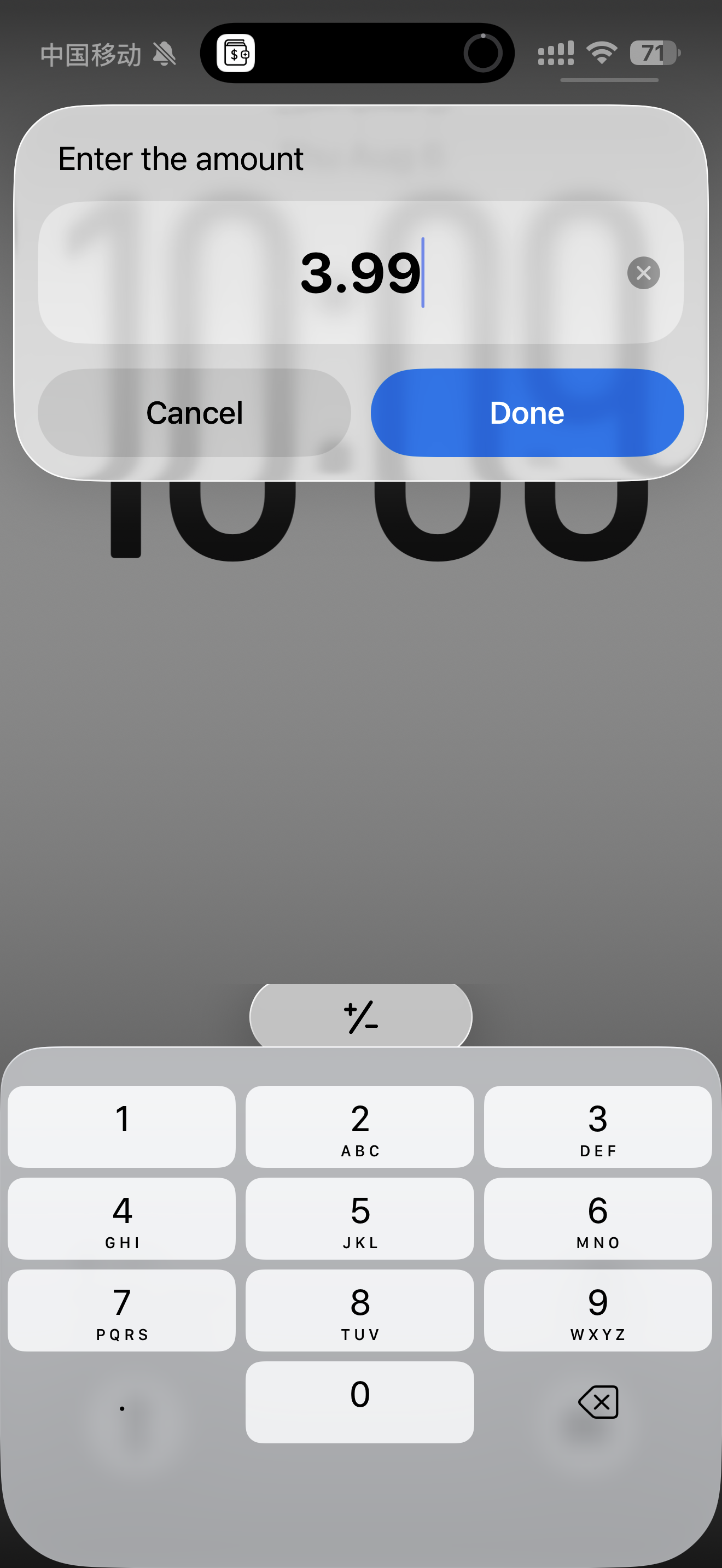
Add it in seconds. Keep moving.
Start with only what matters, save it quickly, and get back to your day. Centee keeps everyday records useful without making them feel like paperwork.
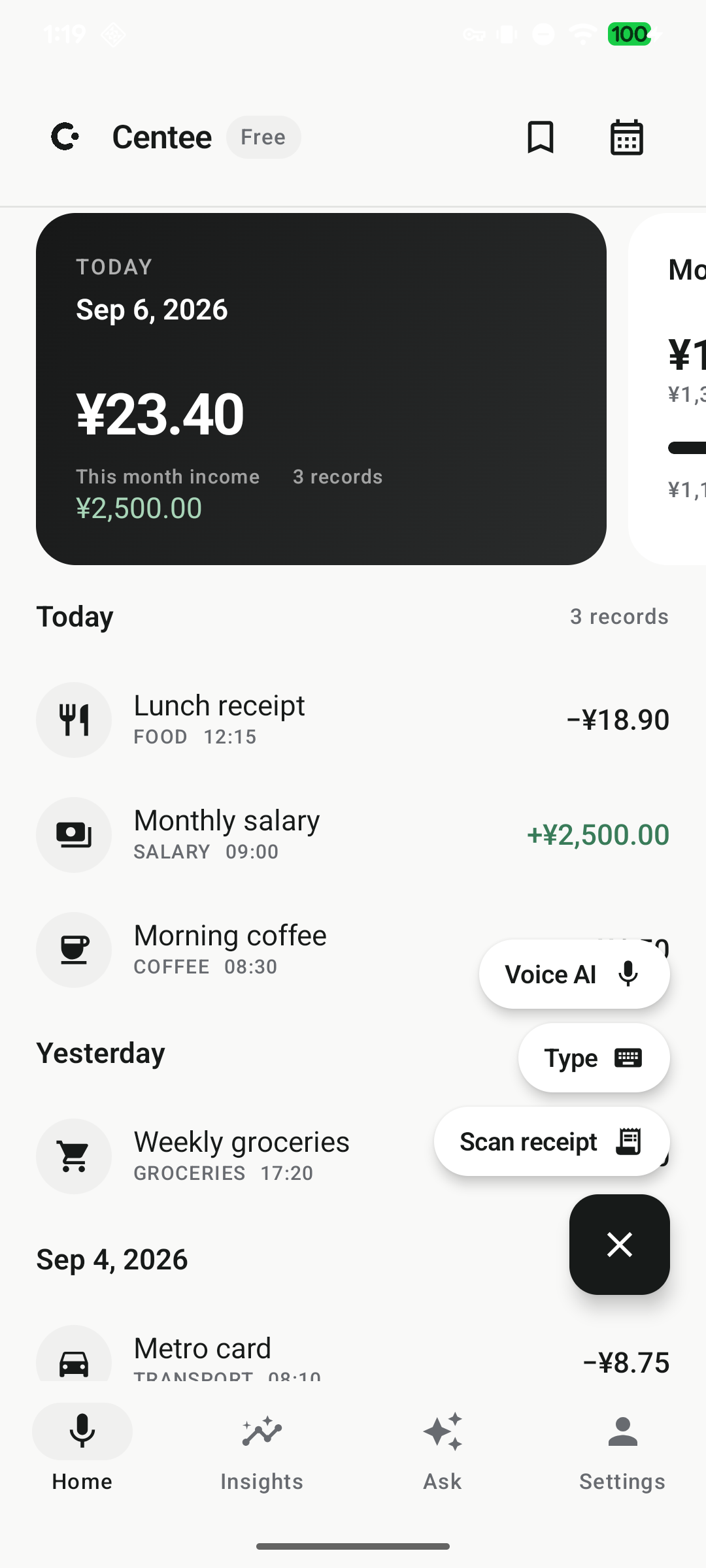
SIMPLE MONEY TRACKING FOR IPHONE & ANDROID
Add an expense in seconds, keep the details that matter, and see your spending clearly. Centee makes everyday money tracking quick, simple, and easy to keep up with.
Quick to start · Minimal by design · No ads · No bank linking.
SIMPLE BY DESIGN
Centee keeps everyday money tracking light: add what you spent, organize it with the context you need, and get a clear view whenever you want. No complicated setup—just a faster, easier way to stay aware.
EXPLORE Centee
QUICK ENTRY
RECEIPT SCANNER
PRIVATE BY DESIGN
01
QUICK ENTRY
Start with only what matters, save it quickly, and get back to your day. Centee keeps everyday records useful without making them feel like paperwork.
02
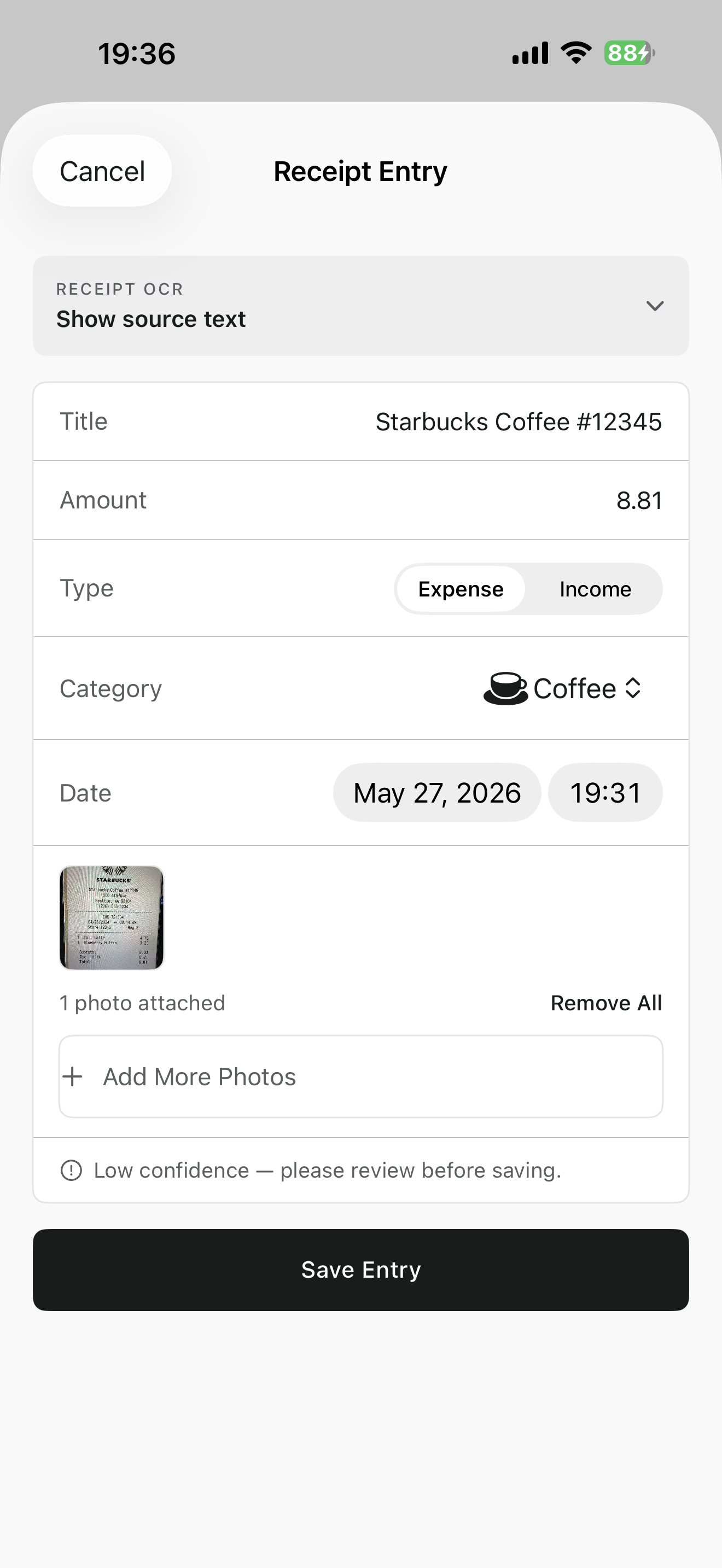
RECEIPT SCAN
Scan a bill or receipt. Centee prepares the useful details and keeps the original close to the record.
03
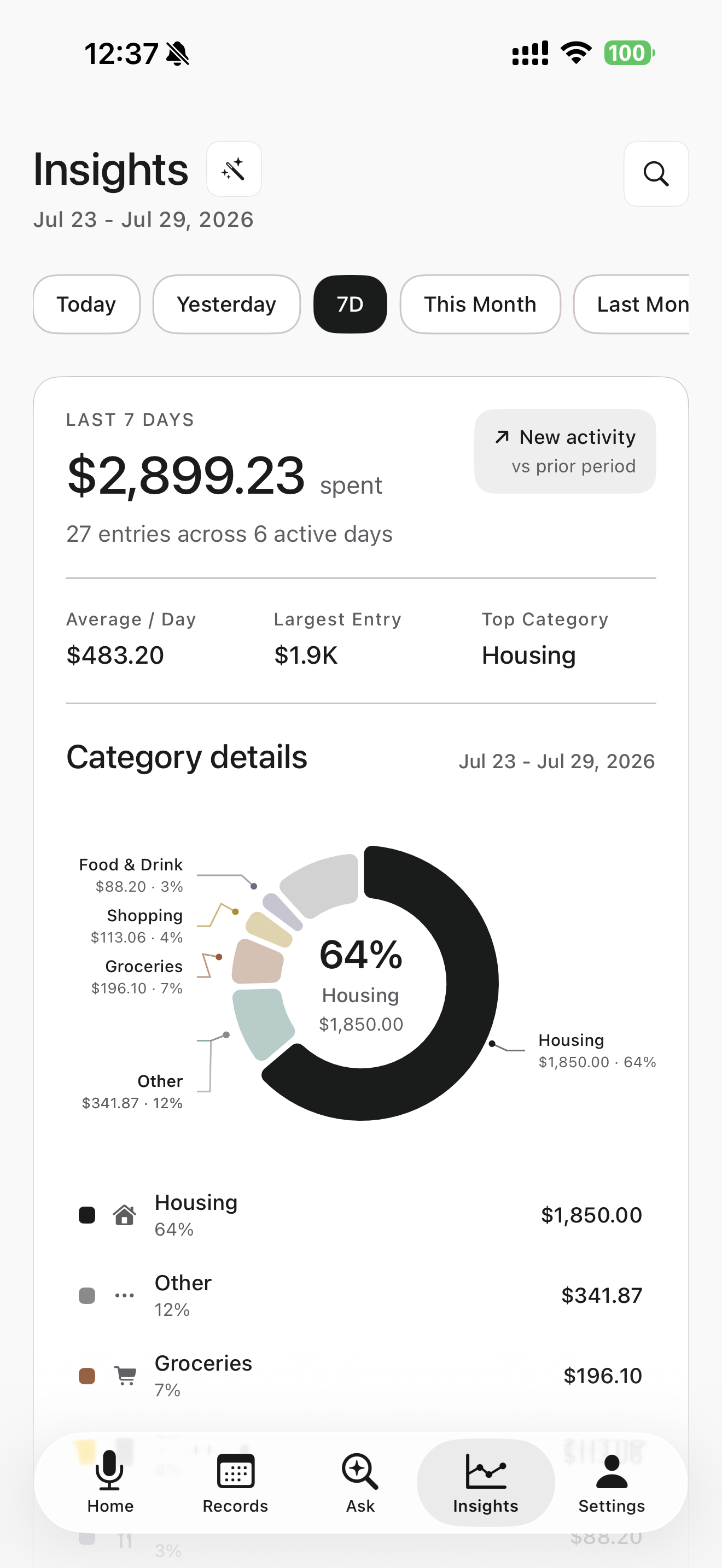
INSIGHTS
Clear weekly views and category details bring the patterns in your spending into focus—without turning your money into a spreadsheet.
MORE WAYS TO STAY ON TOP OF SPENDING
BUDGETS
Set a complete monthly budget, then break it into category budgets for housing, food, shopping, coffee, and more. See what is left before the month runs away.
QUICK CAPTURE
IPHONE · BACK TAP
Set Centee as a Back Tap action and start capturing without hunting for the app. Use the gesture that fits the moment, then review before saving.
ANDROID · SHARE TO Centee
Share a screenshot from your payment app directly to Centee. It becomes a ready-to-review entry, with the details filled in before you save.
UNDERSTAND YOUR SPENDING
Search, summarize, and compare the expenses you have already recorded. Ask “How much did I spend on coffee last month?” or “What was my largest expense last month?” and get a clear answer from your own history.
How much did I spend on coffee last month?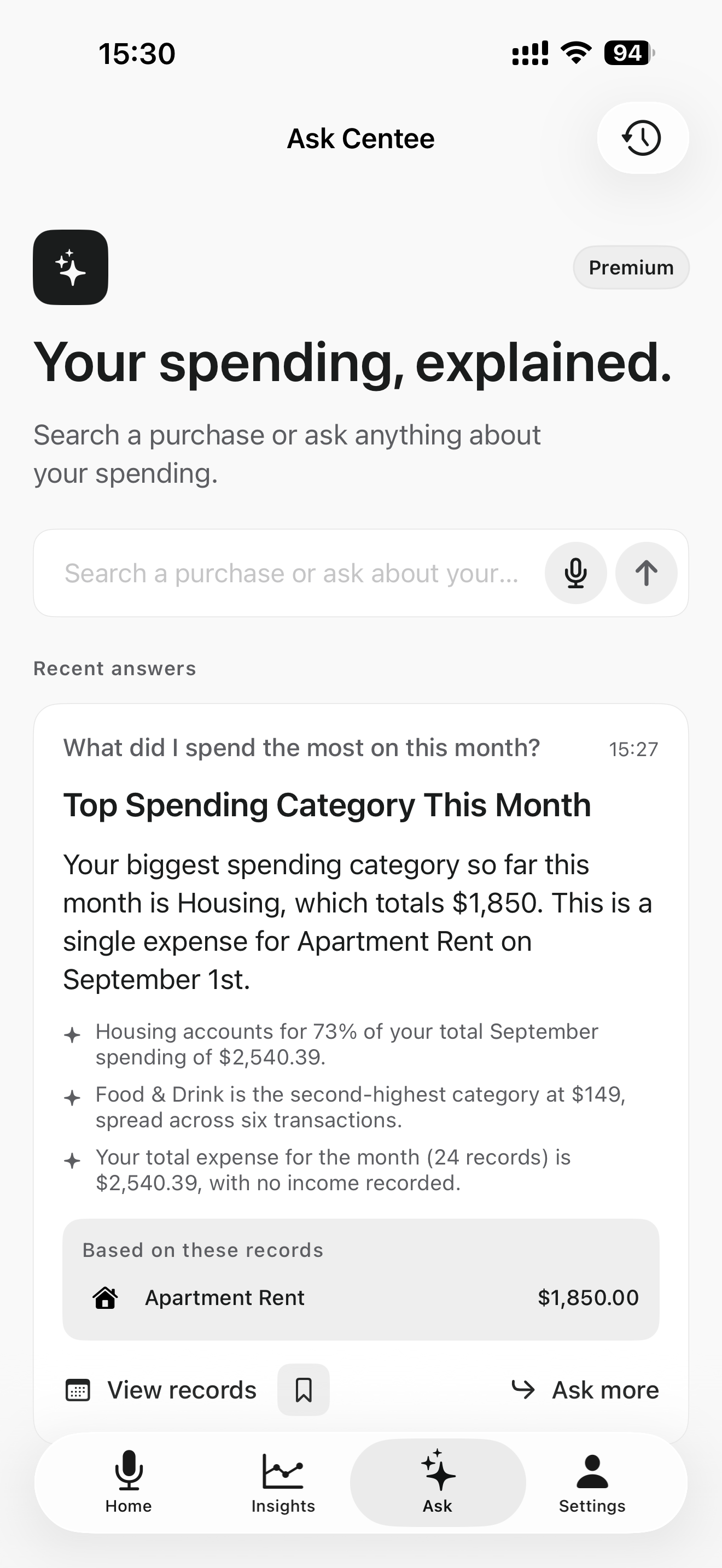
YOUR MONEY, YOUR RECORDS
Centee is built for personal awareness, not financial advice. Review suggested details before saving and keep the final record in your hands.
Read the privacy policyCOMMON QUESTIONS
No. Centee helps you create and manage personal expense records without connecting a bank account.
Yes. Add an expense in a few focused steps, review the suggested details, and keep only the information that matters to you.
Yes. Scan a bill or receipt, review the suggested details, and keep the original context with the expense record.
Yes. Centee is available on iPhone and Android, with fast capture options designed for each platform.
Yes. Keep subscriptions, credit cards, cash, digital wallets, and other payment methods organized alongside your spending records.
START SIMPLY
Add it quickly. Keep it clear.